How to Build a High-Converting FAQ Page on Your Website

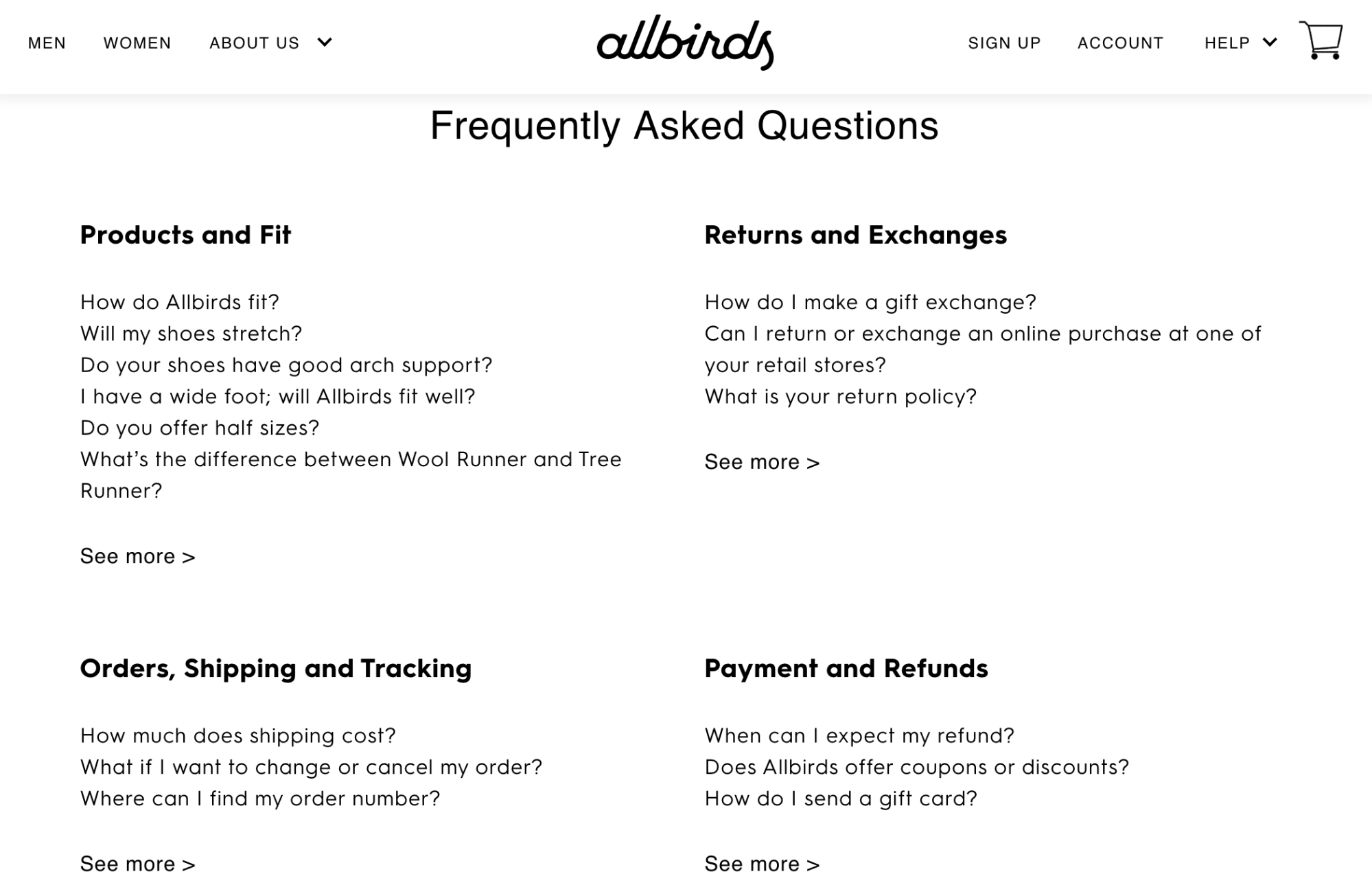
FAQ pages represent a crucial component of the customer conversion funnel. Anyone who lands on this page has already identified the need for whatever you’re selling and is now entering the consideration phase of the purchase process.

Your FAQ page can provide them with the information required to finalize their buying decision.

However, I see so many websites that overlook the importance of this landing page. I read lots of FAQ pages that sound more like an afterthought, as opposed to a page that’s been designed to drive conversions.

FAQ pages must have a purpose. Don’t just add one to your website because you feel like it’s a requirement and you want to fill up space.

While most websites should have a FAQ page, yours could be doing more harm than good if it doesn’t have any clear intentions. It’s possible that your FAQ page is driving people away from buying, as opposed to drawing them in. Obviously, you don’t want that.

For those of you who are currently neglecting your FAQ page, it’s time to make changes. The rest of you might not have an existing FAQ page and want to add one from scratch.

Regardless of your situation, you’ve come to the right place. I’ll show you how to address common problems with FAQ pages and learn how to optimize them for conversions.

Ask the “right” questions

I’ve seen plenty of FAQ pages that have a great design, layout, and optimal user experience. But to be blunt… Read More

Why Your Website Needs HTTPS

All websites need to prioritize security. However, I still see so many sites out there that aren’t using HTTPS.

For those of you who aren’t currently using HTTPS, that needs to change immediately. If you don’t think it’s necessary or that important, you’re mistaken.

The truth is, security impacts the performance of your website.

According to a recent study, 85% of consumers won’t convert if data is being transmitted through a connection that’s unsecured. 82% of Internet users won’t even browse on a website that’s not secure.

Lots of website owners that I consult with seem to think that their site is immune to malicious attacks or hackers because there are bigger and more important companies out there. Why would a hacker waste their time with a small website?

But 43% of cyber attacks target small businesses. So you can’t have the “it won’t happen to me” approach.

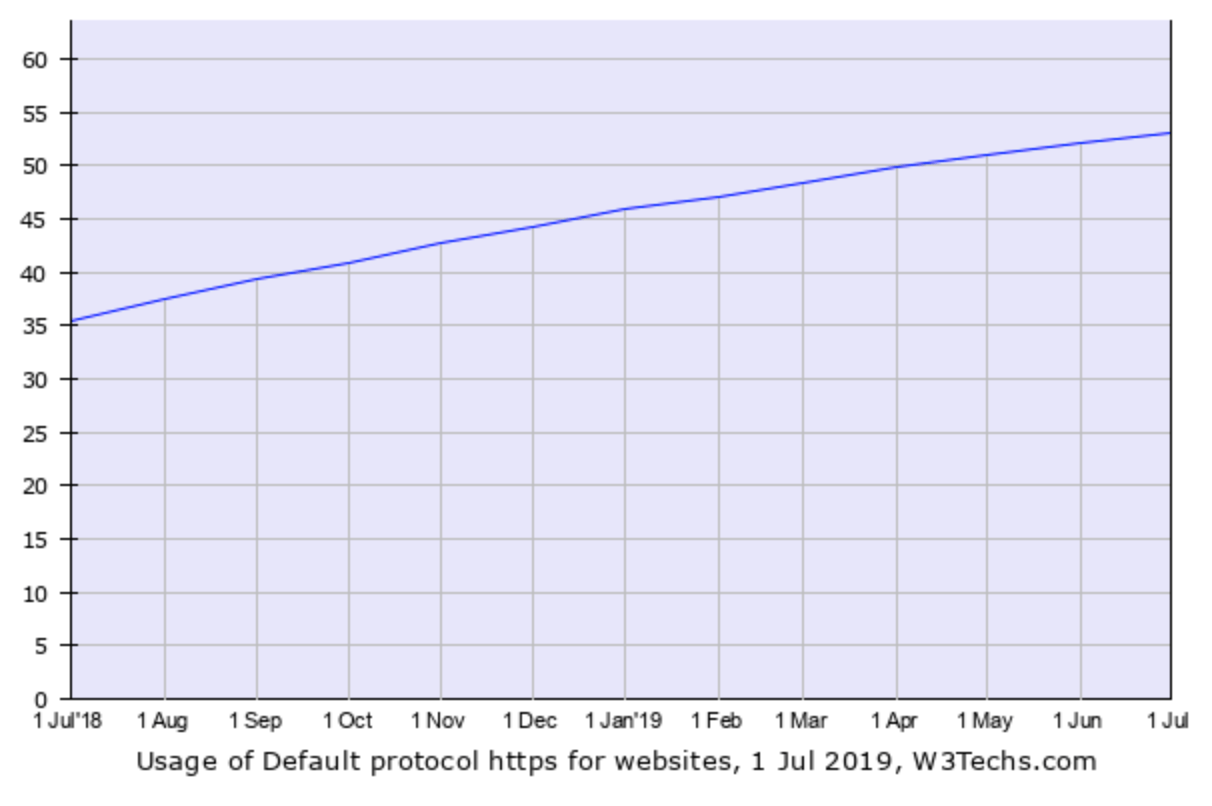
As of July 2019, 53% of all websites are using HTTPS.

As you can see from the graph, there has been an increase in HTTPS usage over the last year.

There are still 47% of websites that aren’t using HTTPS. In my opinion, that number is just far too high. That’s what inspired me to write this guide.

If you fall into that category, I’ll tell you everything you need to know abo… Read More

The Future of Web Design: Artificial Intelligence

Artificial intelligence has been trending upward for years now. In fact, according to Google Trends, the search term piqued back in January 2018.

AI is being used for all different types of applications and technology. In the past, I’ve covered the marketing skills you need to survive in the age of AI.

That’s because marketers have been using AI technology to reshape the way that consumers are targeted. Brands and websites are using AI chatbots to improve communication with website visitors. They’re also using this technology to analyze big data. AI is helping business owners and webmasters gain a competitive advantage in their industries.

But today, AI is also changing the way that we design and develop websites. It’s also going to impact the way we design moving forward.

Traditionally, all websites have been created using HTML. While the code has changed and become more sophisticated over the last couple of decades, sites have become more visually appealing than they were in the past.

Although the technology is still in its infantile stages, ADI (artificial design intelligence) is being used for web design and development.

The thought behind ADI is that the majority of web design can be automated using AI technology. Talks of ADI have been growing over the years, which is what inspired me to write this guide.

I want to share all of this information with you so you can prepare for the future of your website … Read More

2019 SiteGround cPanel Tutorial

SiteGround has one of the top reputations in the web hosting industry. Over 2 million domains are hosted on the platform.

That’s one of the many reasons why SiteGround made my list of the top web hosting services on the market today.

For those of you who are new to hosting your website with SiteGround, you might be wondering how to navigate your dashboard. Fortunately, if you read any SiteGround web hosting reviews, you’ll quickly learn that the platform is very user-friendly.

SiteGround uses cPanel, which is a highly responsive web-based control panel that’s used for managing your settings and account.

cPanel runs on Linux and is extremely versatile. It’s where you’ll customize your site and web hosting needs. SiteGround cPanel is well designed so anyone can use it, regardless of their technical skill level.

With cPanel, you’ll be able to do things like:

Install WordPress (or another CMS)
Back up your site
Review resource usage
Make changes to your server
Set up emails
Connect domains to your hosting plan
Manage databases
Manage security

As you can see from this list, the web-based control panel from SiteGround is very flexible.

I’ll show how to perform certain tasks with cPanel, to optimize your experience using SiteGround for web hosting.

Account Usage Statistics

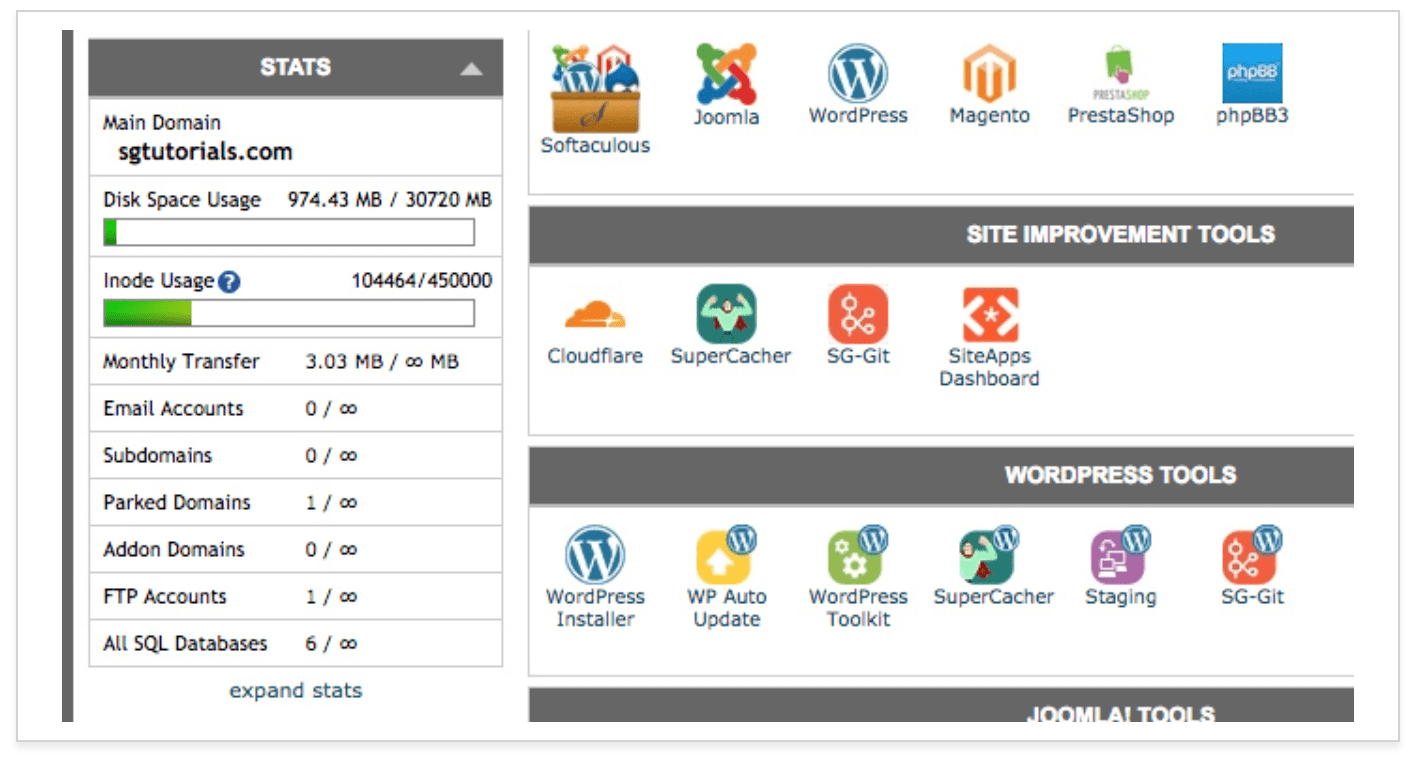
If you want to know how much web hosting resources you’re using, you’ll need to navigate to the “statistics” section of yo… Read More

Best Web Hosting Providers

Quick Sprout recommendations for web hosting services are based on months of research and testing. We’ll never point you to a product or service that we don’t believe in or have first-hand experience with. Our content is reader-supported, which means if you click on one of our links to a recommended web hosting service, we may earn a commission.

Hosting seems like an enormous headache at first.

Shared hosting, dedicated hosting, VPS, managed hosting, server cores, different RAM, CDNs, SSL certificates. It’s endless.

We’ve managed hundreds of websites ourselves over our careers.

Large, small, and everything in between.

Using our first-hand experience, we waded through all the hosting options and narrowed it down to the best five web hosts.

We’ve broken down the best options, when to use each, and our method for picking the best web host.

Let’s jump in.

The 5 Top Web Hosting Providers

SiteGround – Best Overall
InMotion Hosting – Best for Small Businesses
WPEngine – Best for WordPress
Dreamhost -Best for Shared and Cheap Packages
Hostgator – Best for Shared and Cheap Packages

This guide is quite extensive, so feel free to bounce around:

The Best Shared Web Hosting
The Best Cloud Hosting
The Best Small Business Hosting
The Best WordPress Hosting
The Best Cheap Hosting
How to Find The Best Hosting For You
Web Hosting Reviews
SiteGround Review
InMotion Hosting Review
WPEngine Revi… Read More