Posted by R0bin_L0rd
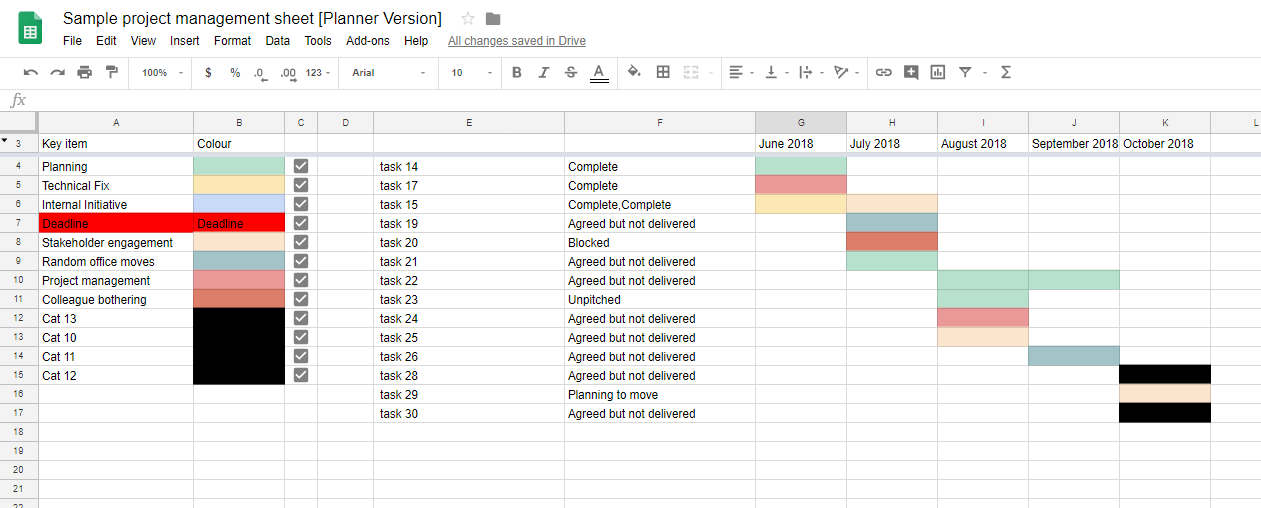
The short version of this post: Project management is a vital part of our job as marketers, but planning and visualizing projects over time is hard, so I’ve created a set of Google Sheets to make that work easier for you.
I’ve found this system helpful in a number of ways, so I’m sharing my templates here in case it’ll make your day a bit shorter. I’ll start off with a brief overview of what the sheets do, but in the latter section of this post I’ll also go into greater depth about how they work so you can change them to suit your own needs.
If you’d like to skip this post and get straight to the templates, you can access them here (but I’d recommend reading a bit about how they work first):
Planner Version (everything you need to know, plus Gantts)
Stakeholder Version (a cleaner version for bosses, clients, or people doing the work but not project managing)
What-in-God’s-name-have-I-missed Version (combined view of lots of different projects, showing you if you’ve forgotten to tell someone about work, missed a deadline, or over-planned)
It’s worth mentioning: I don’t consider these sheets to be the only solution. They are a free solution that I’ve found pretty useful, but I have colleagues who swear by the likes of Smartsheet and Teamwork.
It’s also … Read More