“Hello? Is my voice still echoing? Please hold on a minute. Still not better? Let me try again…”
What wouldn’t we do to avoid this during a client call?
Tech glitches like audio echoing always arrive unannounced. Unfortunately, sometimes there’s little you can do. But if the problem is within your control, there is a quick and easy fix that will save face (and your deal!) in front of clients.
I’ve encountered my share of echoing problems and had plenty of headaches trying to figure out what went wrong.
But I finally have a solution.
In this guide, I‘ll share a step-by-step walkthrough with you to get rid of phone echoing within minutes—for good.
What to Expect When Fixing Phone Echoing
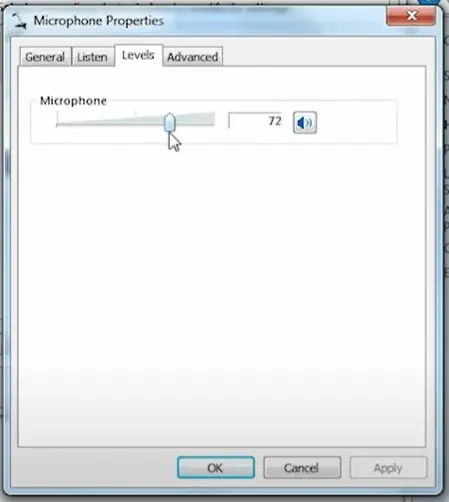
Typically, you can fix any phone echoing problems by adjusting the sound of your speakers. But other times, you may have to change your hardware, space out attendees, update your software, and so on. It depends on the situation.
Nevertheless, the whole process is straightforward. It involves just the following five steps:
Step 1 — Identify the Cause of Phone Echoing
Step 2 — Turn Down Your Speaker’s Volume
Step 3 — Diagnose and Eliminate Phone Echoes
Step 4 — Check Your Hardware and Software
Step 5 — Solving Phone Echoing Caused by Electrical Impedance
The Good
There is no need to struggle with phone echoing solutions, especially when fixing it is so easy.
The majority of your VoIP problems c… Read More