WordPress Multisite Beginner’s Guide

Managing several WordPress sites simultaneously can be challenging if you’re not equipped with the right tools. The difficulty increases at scale from maintaining updates to managing themes, plugins, users, comments, and other website elements.

Fortunately, WordPress has some great ways for admins and site owners to manage multiple sites at the same time.

Instead of having to log in and out of each WordPress site every time you want to make a change, WordPress multisite allows you to run all of your sites from a single WordPress installation.

This ultimately boosts your efficiency while reducing the time it takes to complete tedious tasks in WordPress.

What is WordPress Multisite?

WordPress multisite allows users to create and manage several WordPress websites within a single dashboard and WordPress installation.

Multi-site management functionality makes it much easier to maintain all of your websites without having to log into each website separately. So, you could update new WordPress versions on all of your sites or backup your WordPress websites from a single dashboard at the same time.

With WordPress multisite, you can even assign different admins to every site on your WordPress network. But everything else can be managed and updated from the “master” installation.

5 Tools to Improve WordPress Multisite

These are some of my favorite tools and resources to help improve your experience on a WordPress multisite netwo… Read More
GoToMeeting Review

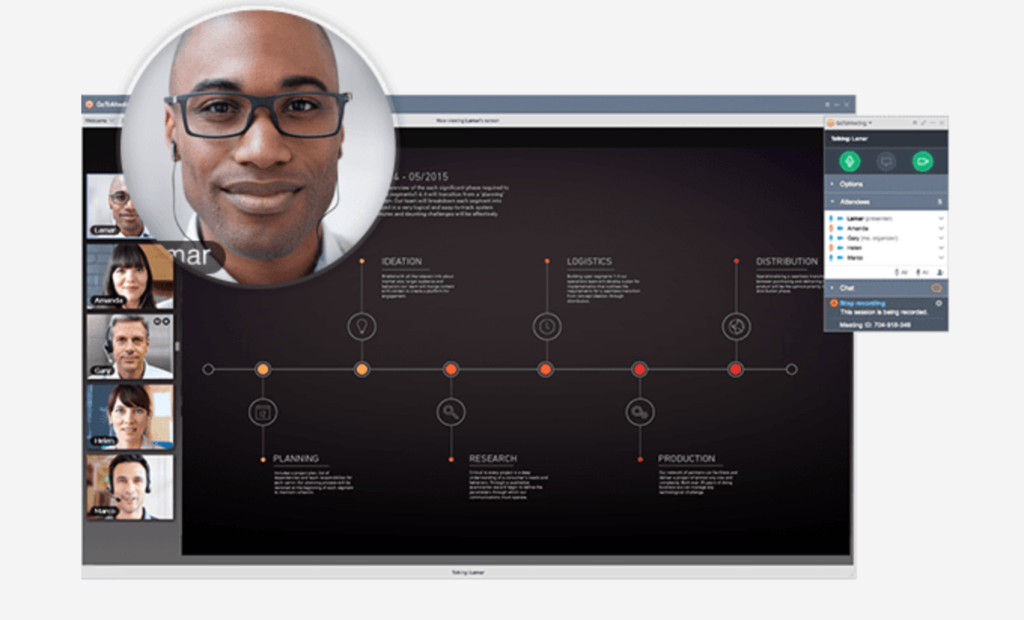
GoToMeeting ranks high on our list of the best conference call services.

The platform offers all of the tools you’ll need to run a successful business meeting. GoToMeeting stands out for its exceptional call quality, robust features, and excellent customer service.

In this review, we’ll examine how it stacks up against others in the category, what the pros and cons of using GoToMeeting are, and what plan options are available to you.

Pro tip: If you’re already convinced, then I suggest signing up for the GoToMeeting free trial.

GoToMeeting Pros and Cons

We highly recommend GoToMeeting for a lot of users, but it won’t be a perfect fit for everyone’s needs. Run through these sections on the benefits and drawbacks of GoToMeeting to determine how good of a fit it is for your business or organization.

Pros

GoToMeeting has a wide range of features for different use cases. I’ll highlight some of the top advantages of GoToMeeting’s software and service.


Conference Calls

Whether you need to communicate with coworkers, customers, or prospects, GoToMeeting’s audio conference calling has you covered.

GoToMeeting allows you to join and set up a call as long as you have an Internet connection. It’s compatible with Windows, Mac, and mobile devices.

Their interface is very easy to learn too. From the initial setup to the call quality and meeting management features, … Read More

How to Clear Your Cache in WordPress

You’ve made some pretty spectacular changes to your website. However, somehow, they don’t reflect on your website.

Nearly every troubleshooting advice you receive will tell you to clean your WordPress cache first.

You see, your WordPress website creates static versions of your content and serves them to visitors to ensure faster performance. It’s a standard feature that all websites have to store temporary information on a local directory. This is cache.

However, caching does have its fair share of disadvantages, which is why you should clear your website cache periodically.

An information overload can make your website seriously slow. Moreover, at times, you may not see the changes you made to your website right away. Precisely why a little WordPress cache cleanup becomes necessary.

What to Expect When Clearing Your Cache in WordPress

A three-second delay can cost you 40% of your visitors. So you can imagine the massive loss in revenue that a slow page load speed can cause. You must think of ways to keep your website faster if you want more customers and higher sales, and the best way to ensure this is by clearing your website cache.

Here’s how you do it:

Step 1 – Find Out If You Really Should Clear Your WordPress Cache
Step 2 – Clear Cache Data with Your Web Host
Step 3 – Clear Your WordPress Caching Plugin Data

The Good

Clearing cache may sound complex, but it really isn’t. On the contrary, it may be the… Read More

The Best Equipment Leasing For Your Business

The cost of equipment can be a staggering expense for any business, especially startups. Depending on what kind of equipment a business needs, a company might be looking at millions of dollars in investment over a period of several years.

Worse, buying equipment outright can mean years or even decades of payments. By the time a business has paid off a piece of machinery or office building’s worth of printers, the equipment is likely to be outdated and in need of repair or replacement.

Because few companies have the cash to buy equipment outright, many turn to equipment leasing. This is a sound financial strategy that can save a business money over time.

Compare Quotes From The Best Equipment Leasing Services

Get matched up with a equipment leasing service that fits your specific needs.

>> Compare Quotes


The 6 Best Equipment Leasing Companies

There are several options for businesses looking for equipment leasing. Here are six top commercial equipment leasing companies to consider.

Gordon Flesch Company
Crest Capital
National Business Capital
US Business Funding
Smarter Finance USA
Wells Fargo

What is Equipment Leasing?

Equipment leasing is common across a broad range of industries, from manufacturers to restaurants. Some of the equipment a business might lease includes:

Commercial cooking equipment
Office computers and printers
Trucks and other vehicles
Furniture
Heavy machinery, such a… Read More

How to Buy a Domain Name

My quick take? I prefer Domain.com over other top registrars. They have great prices and super easy to use. It’s the registrar that I personally use and always recommend.

You need a domain name.

More specifically, you need the RIGHT domain name.

This is like choosing the name of your child. You want to get it right the first time.

Don’t just register whatever domain name is available and call it a day. That’s a big mistake.

In this guide, I want to walk you through my process for buying a domain name, starting with how I go about coming up with a name in the first place.

Visit Domain.com

Straightforward and easy to useGreat for multiple domainsEasy domain transfersTop notch customer service
Get 25% off with coupon code: QUICKSPROUT

Brainstorm Concepts and Ideas

If you already have a name you want to buy, awesome! Head on down to the next section.

If yo… Read More