Signs are emerging that we’re on the verge of the next online sales phase: video. Let’s deconstruct what’s happening on QVC, and how and why you may need to learn to apply it as an SEO, local SEO, or business owner — sooner than you think.
Signs are emerging that we’re on the verge of the next online sales phase: video. Let’s deconstruct what’s happening on QVC, and how and why you may need to learn to apply it as an SEO, local SEO, or business owner — sooner than you think.
Keywords are your short phrases to success that let people find your content when putting in a search query. On the other hand, meta descriptions are HTML meta tags that inform search engines about your post and page content.
As you can judge by the definitions, both are really, really important for SEO.
This guide will help you understand how you can add keywords and meta descriptions in WordPress to make your website more enticing and click-worthy.
Ready? Let’s begin.
What to Expect When Adding Keywords and Meta Descriptions in WordPress
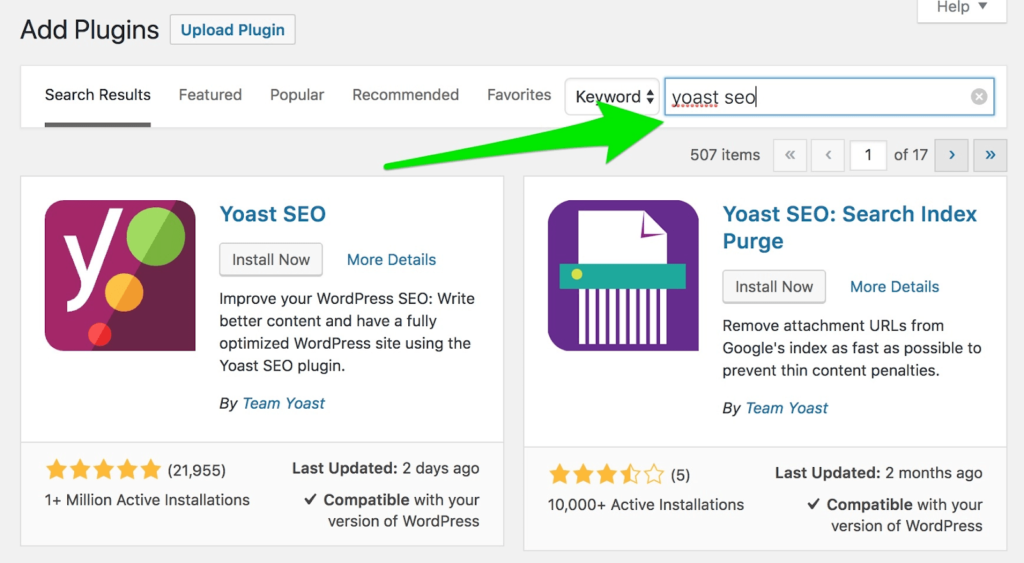
Step 1 – Install and Activate Yoast SEO Plugin
Step 2 – Add the Focus Keywords and Meta Description
Step 3 – Adding the Keywords and Meta Descriptions Manually
The Good
The very first result on Google gets 31.7% of all clicks, while the results on the second page receive just 0.78% of clicks. That’s the difference applying SEO best practices can make to your content, and in turn, your business.
Keyboards and meta descriptions are the little parts of SEO that can help you rank your web pages higher in the search engine results pages (SERPs), and the higher the rank, the better for your business.
They provide additional information to search engines and uses about your content. When Google knows exactly what your content is about, its chances of showing your article to users wanting to learn more about a specific keyword are higher.
More views translate to higher traffic and poss… Read More
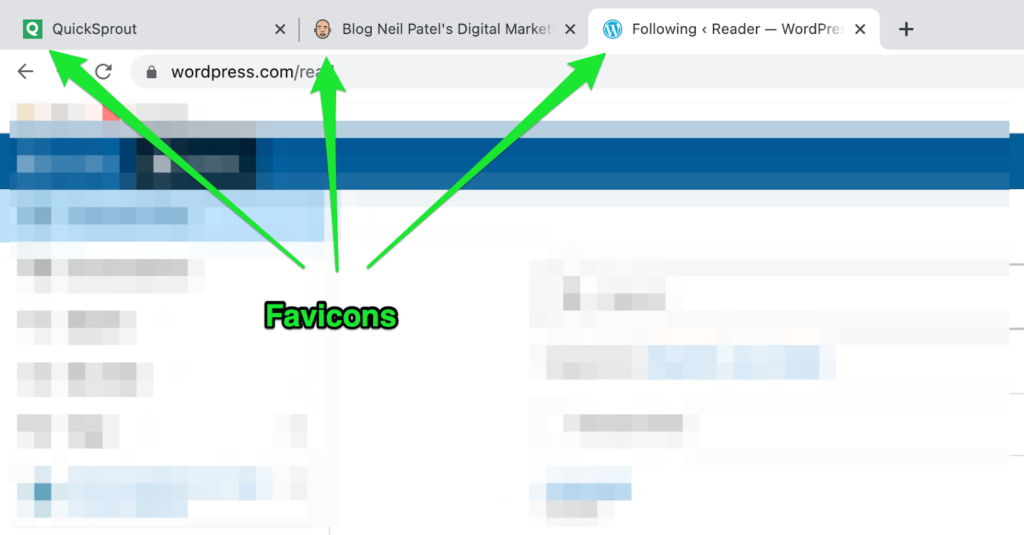
Favicons are tiny, often overlooked but incredibly useful site icons that help establish a strong visual identity for your WordPress website at the very first glance. Precisely why every website needs a favicon.
It makes an excellent first impression on the user and also adds a professional touch to your website. The fact that your website instantly stands out from others is another plus.
Think of Quicksprout’s green Q image, Neil Patel’s face icon, and the iconic W of WordPress, to name a few.
Now, when something can give you such great results and is super simple and straightforward to create, you should take full advantage of it. Don’t you agree?
In this guide, I’ll show you how you can create a favicon for your WordPress website, along with some advice to do it faster and more effectively.
Let’s get to work!
What to Expect When Adding a Favicon When to Your WordPress Website
Adding a favicon to your WordPress website is a super simple process. You have to create the favicon set first and then add it to your site using either the WP customizer, a plugin, or FTP.
Here’s how to go about it:
Step 1 — Create a WordPress Favicon for Your Website
Step 2 — Add the Favicon to Your WordPress Website
The Good
Brand identity and recognition is th… Read More
We know this – quality content that attracts lots of organic traffic takes time to write. And you don’t want to sit for hours writing a post that collects dust on your blog.
I surveyed professional content writers on LinkedIn to know how long they research and write a 1000-words blog post.
The result – 33% of writers use a staggering 6 to 8 hours.
Sadly, many blog posts do not get read because they fall for several content marketing mistakes. According to research by Ahrefs, 90.63% of pages get zero organic traffic from Google.
Your posts can be among the 9.37% of content that gets organic traffic from Google. To a… Read More
Building a good reputation for your business means keeping up top-notch communication. You need a VoIP phone service with a solid foundation and advanced features that can help you do that.
When you can communicate across many channels, you make more business connections and help more customers. As a result, you grow your business.
If you’re looking for a new VoIP provider, consider 1-VoIP. It offers a scalable, straightforward system that’s easy to use, even if you don’t know your tech. Let’s compare it with a few other VoIP systems to help you decide whether it’s right for your business.
1-VoIP Pros and Cons
Pros
Affordable
User-friendly interface
Excellent customer support
Straightforward and scalable
Cons
No video conferencing
Fewer advanced features
Visit 1-VoIP
Compare The Best VoIP Phone Services
We reviewed dozens of VoIP phone services and narrowed them down to the best options.
See Top Picks